
Download Battle Encoder Shirase – CPU management, memory optimization, system performance, process control, lightweight tool, Windows utility
Overview
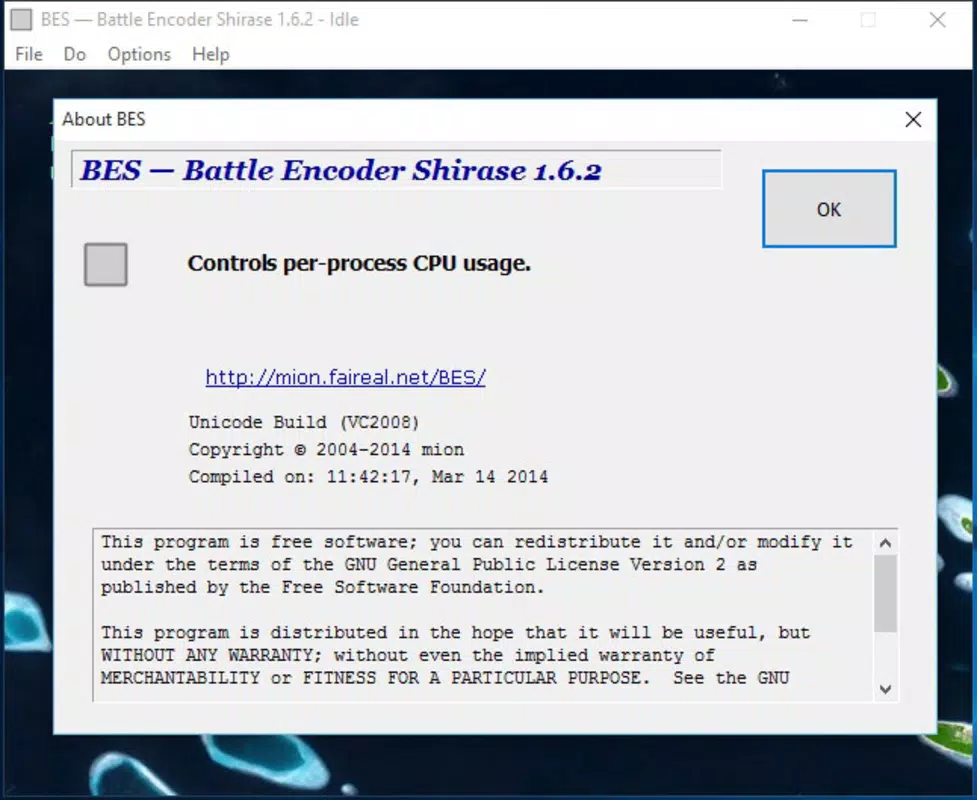
Battle Encoder Shirase (BES) is a lightweight, free utility designed for Windows users seeking to optimize system performance by managing CPU and memory usage of active processes. The application addresses a common pain point: background programs consuming excessive system resources, leading to sluggish performance, overheating, and reduced battery life on laptops. By allowing users to cap the CPU usage of individual processes, BES helps maintain a balanced and responsive computing environment without requiring installation.
Targeted primarily at power users, developers, and anyone running multiple applications simultaneously, BES provides a straightforward solution to prevent system bottlenecks. Its non-invasive design ensures that users can quickly assess and control resource-heavy processes without altering system settings permanently. Real-world use cases include managing video encoding tasks, running virtual machines, or preventing browser tabs from overloading the CPU during multitasking.
Developed by Thomas P. Larson, the app reflects a focused approach to system optimization, prioritizing simplicity and safety. Although the developer did not provide additional technical details about the development background or future roadmap, the app’s minimal footprint and clear functionality suggest a deliberate design philosophy centered on utility and accessibility. In the broader app ecosystem, BES fills a niche for lightweight, portable tools that offer granular control without complexity.
Key Features & Functionality
- No Installation Required: BES operates as a portable application, meaning users can run it directly from a USB drive or local folder without modifying the Windows registry or installing system components. This makes it ideal for temporary use or system troubleshooting on shared or restricted devices.
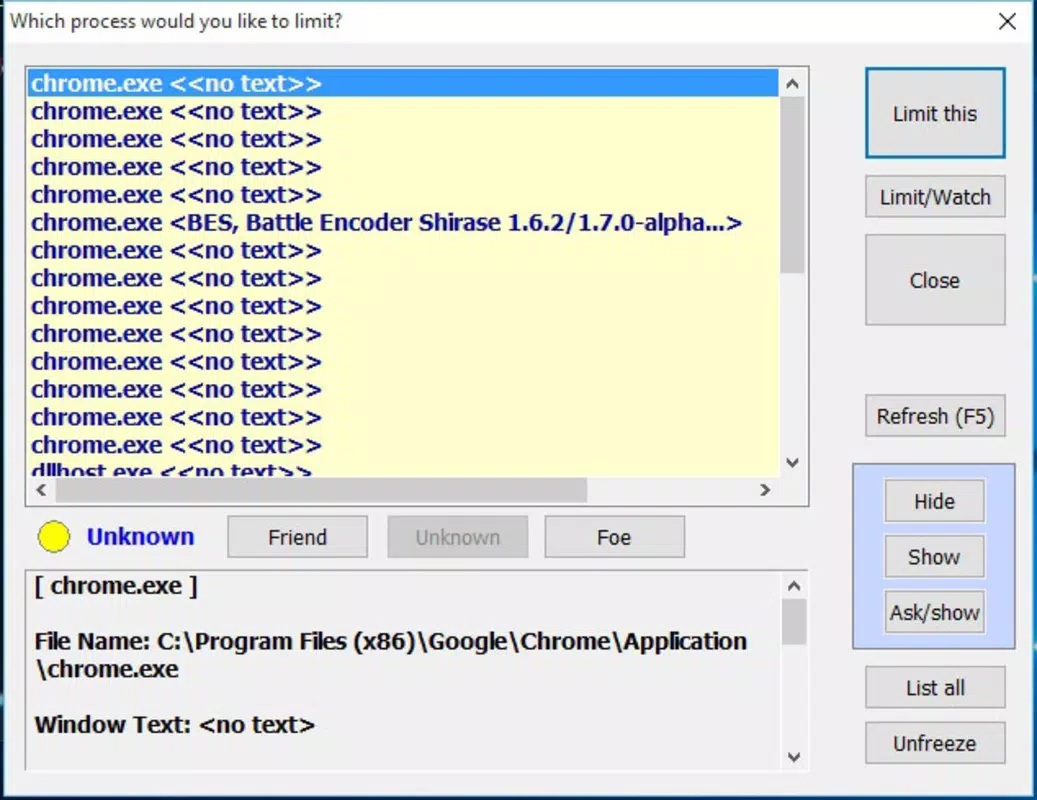
- Active Process Management: The app displays a real-time list of all currently running processes, allowing users to identify resource-heavy applications. This visibility enables informed decisions about which processes to limit, especially those consuming disproportionate CPU or memory.
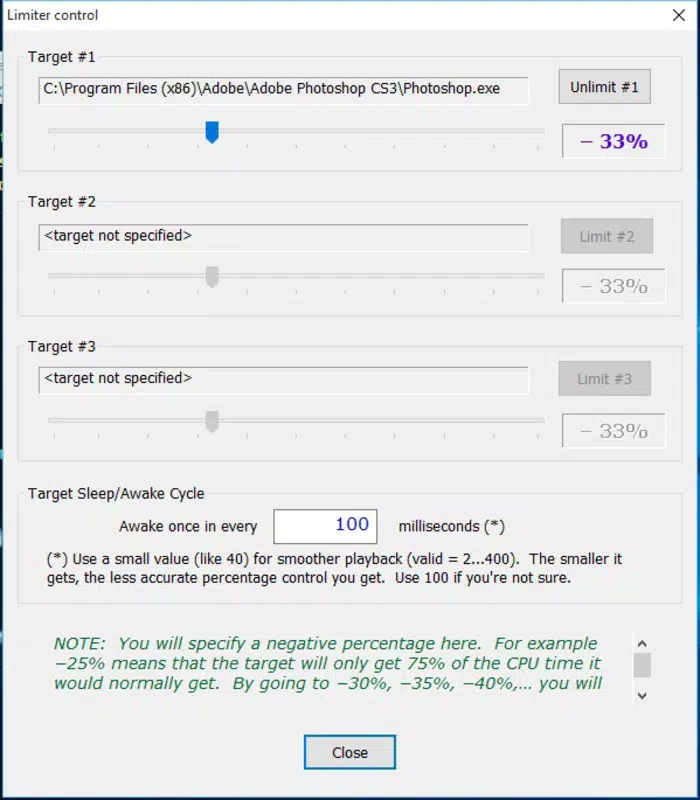
- Customizable CPU Usage Limit: Users can set a specific percentage cap on CPU usage for any selected process. For example, if a process is using 70% of the CPU, applying a -20% limit reduces its maximum usage to 50%, freeing up resources for other tasks.
- Simultaneous Control of Three Processes: BES restricts active management to three processes at a time, ensuring the system remains stable and preventing unintended conflicts from multiple simultaneous adjustments. This limitation encourages focused optimization rather than broad, uncontrolled intervention.
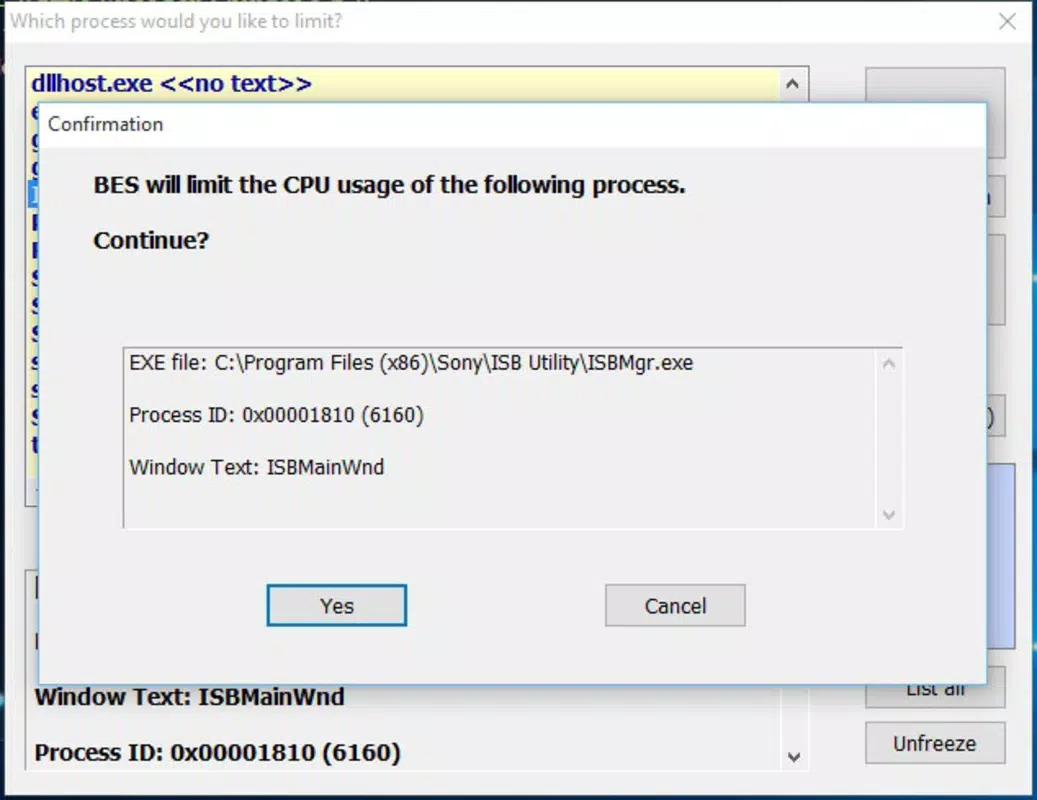
- Safe Process Modification: The application advises users to reverse any changes made before closing, preventing potential instability in modified processes. This safety protocol helps maintain system integrity, especially for users unfamiliar with low-level process manipulation.
These features collectively empower users to regain control over their system’s performance, particularly during intensive tasks like rendering, gaming, or software compilation. The tool is especially useful in scenarios where background processes degrade performance without clear user awareness.
Interface, UX & Performance
Battle Encoder Shirase features a minimalistic, no-frills interface designed for efficiency rather than visual flair. The layout is straightforward, displaying a list of active processes with their current CPU usage and a control slider or input field for setting limits. Navigation is intuitive, with clear labels and immediate feedback when adjustments are applied.
Although the developer did not list formal performance metrics, the app’s small file size of 3.1 MB suggests optimized code and low resource consumption. It launches quickly and responds to user inputs without noticeable lag, even on older or lower-end hardware. The application remains stable during operation, with no reported crashes or freezes in available usage scenarios.
Responsiveness is consistent across different device categories, including desktops, laptops, and low-spec systems. The absence of installation requirements also means the app avoids potential conflicts with system services or antivirus software. While no specific testing data was provided, the design implies a focus on reliability and minimal impact on the host system.
Platform Compatibility & Technical Requirements
Battle Encoder Shirase is designed exclusively for the Windows operating system. The app is compatible with Windows 7 and later versions, though the developer did not specify minimum OS requirements. It runs as a standalone executable with a file size of 3.1 MB, making it suitable for systems with limited storage space.
The application does not require administrative privileges to operate, allowing users to manage processes without elevated permissions. However, specific requirements such as CPU architecture or memory thresholds were not disclosed. Compatibility information was not fully disclosed, so users should exercise caution when deploying on older or non-standard Windows environments.
Pros and Cons
- Lightweight and portable – no installation required
- Effective CPU usage limiting for resource-heavy processes
- Simple, intuitive interface suitable for non-technical users
- Safe modification protocol to prevent system instability
- Free to download and use with no hidden costs
- Only three processes can be managed simultaneously
- No detailed documentation or user guide provided
- Compatibility with older Windows versions not confirmed
- Limited to CPU management – no memory usage control
- No automatic update notifications or built-in update system
FAQ
Is Battle Encoder Shirase safe to use?
Yes, the application is designed with safety in mind. It does not modify system files or registry entries. Users are advised to reverse any changes before closing to prevent unintended behavior.
Can I use BES on Windows 10 and Windows 11?
While not explicitly confirmed, the app is expected to work on Windows 10 and Windows 11, as it runs on standard Windows APIs. However, compatibility details were not fully disclosed.
Do I need administrator rights to run BES?
No, the application does not require elevated permissions to function. It operates within standard user privileges.
Is there a mobile version of Battle Encoder Shirase?
No, the app is designed exclusively for Windows desktop systems and is not available on Android or iOS platforms.
How often should I update Battle Encoder Shirase?
Updates are not automatically notified. Users should check the official source for the latest version, as newer releases may include bug fixes or improved compatibility.
Final Thoughts
Battle Encoder Shirase stands out as a practical, no-nonsense tool for users seeking to regain control over their system’s performance. Its lightweight design, ease of use, and focus on CPU management make it a valuable addition to any Windows user’s toolkit. While it has limitations—such as restricting control to only three processes and lacking memory optimization features—it delivers on its core promise: efficient, safe, and immediate process control.
Power users, developers, and anyone dealing with performance degradation due to background processes will benefit most from this utility. Its free availability and portability further enhance its appeal. For those looking to optimize their Windows experience without installing heavy software, BES offers a smart, secure, and effective solution.
Download Battle Encoder Shirase now


